A unified inbox for all your feedback
Triage, search, filter, and act on every submission. Labels, bulk actions, and export—so nothing slips through.
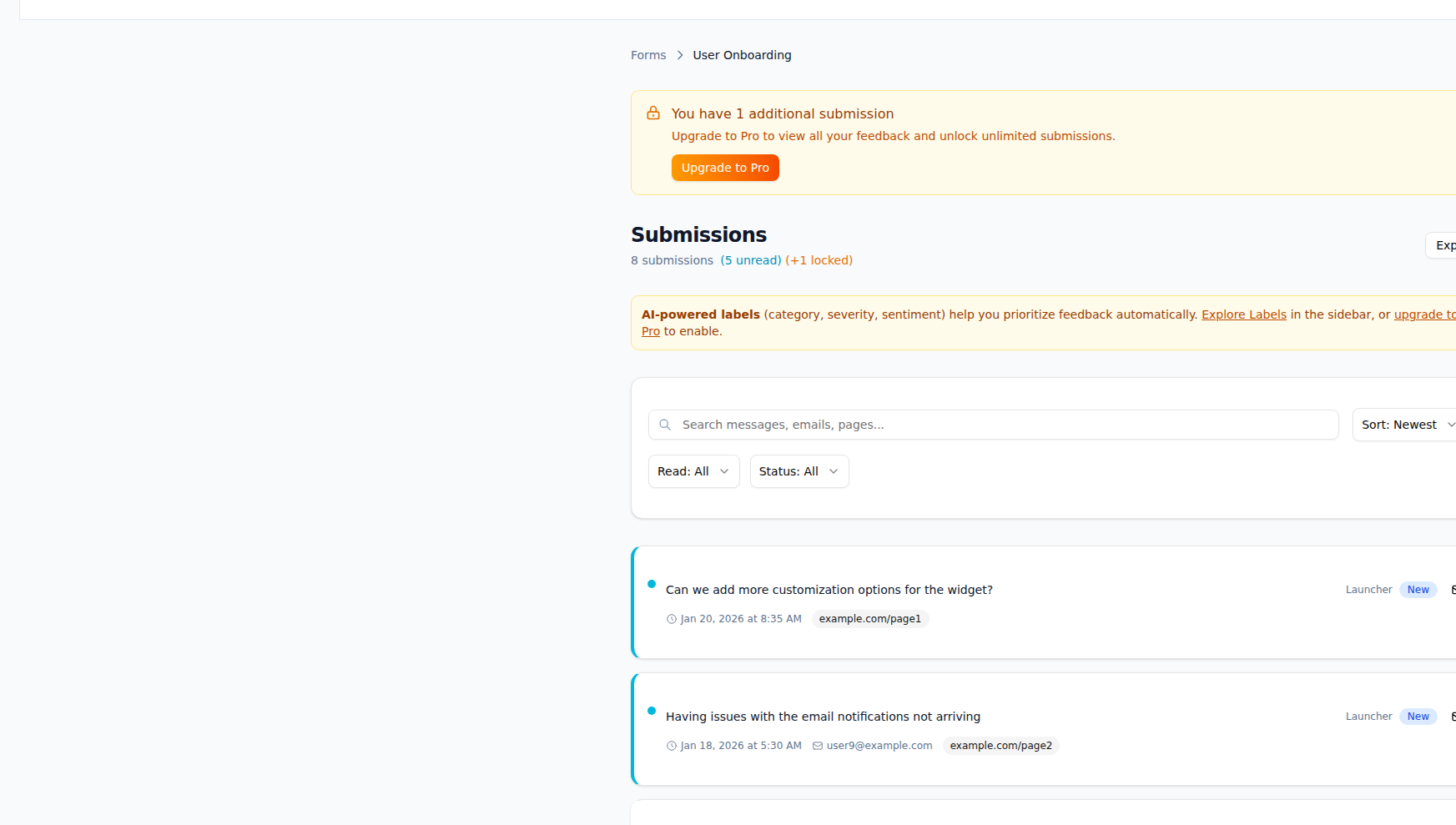
What Submissions Inbox gives you
One place to triage, search, and act on every piece of feedback.
Unified inbox
See every submission from every form in one list. Switch by form, status, or label without losing context.
Triage and status
Move submissions through statuses (e.g. New → In progress → Done). Use labels and internal notes to keep triage consistent.
Search and filters
Search by content, submitter, or URL. Filter by form, status, label, date range, and integration state.
Bulk actions
Update status, add labels, or assign in bulk. Triage high volume without clicking into each submission.
Detail views
Open any submission for full context: message, metadata, page URL, linked actions (Jira, Linear, etc.), and history.
Export
Export filtered views to CSV for reporting, analysis, or backup. Include fields and labels you need.
How it works
Submissions arrive in one place
All form submissions land in the inbox. Optional routing sends copies to Slack, Jira, or other tools.
Triage with status and labels
Set status and add labels (or use AI labeling). Use saved filters to focus on what matters.
Search and filter
Find submissions by keyword, form, status, or label. Narrow by date or integration (e.g. “has Jira issue”).
Act and export
Create actions from submissions, add notes, or export filtered results to CSV for stakeholders.
Frequently asked questions
Use cases
Streamline Support Intake with Forms
Route Form submissions to support tools like Zendesk, Intercom, or Freshdesk. Streamline your support workflow.
Route Form Submissions to Jira
Automatically create Jira issues from Form submissions. Keep your product backlog and customer feedback in sync.
Route Form Submissions to Linear
Automatically create Linear issues from Form submissions. Sync status and keep your roadmap aligned with customer feedback.
Explore more features
Forms
Embeddable feedback forms that capture customer voice wherever you need it.
Routing Rules
Send the right feedback to the right place, automatically.
Actions
Turn feedback into issues, tasks, and tickets—with full traceability.
AI Labeling & Taxonomy
Automatically categorize and understand feedback at scale.
Ready to use Submissions Inbox?
Start capturing and acting on feedback today. Free plan includes everything you need.