Customer feedback forms that embed anywhere
Widget, full-page, or inline—one script tag, unlimited forms, and responses routed to 30+ integrations.
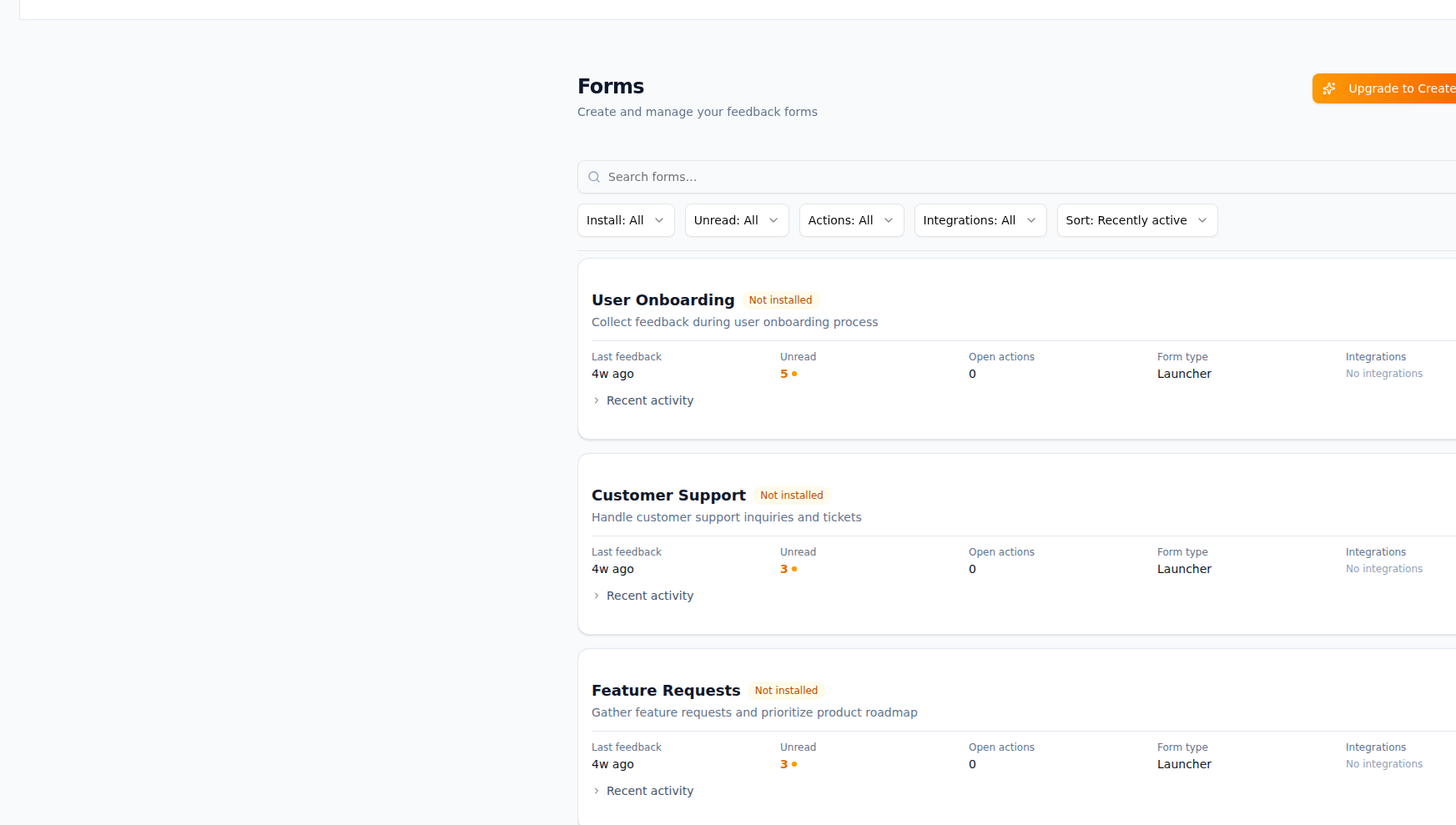
What Forms gives you
Embeddable feedback forms that capture customer voice wherever you need it.
Multiple form types
Choose widget (floating launcher), full-page, or inline forms. Match the right format to each surface (app, docs, landing page).
Embed and share
Install with a single script tag or use direct links. Optional per-form embed codes and shareable URLs for feedback collection without embedding.
Brand customization
Set colors, position, and copy per form. Keep feedback on-brand without touching code.
Response routing
Send submissions to Slack, Jira, Linear, email digests, or webhooks. Configure routing per form so the right team gets the right feedback.
Multi-form support
Run many forms across pages or products. Each form can have its own fields, routing, and branding.
Structured fields
Collect message, rating, category, and custom fields. Structure once and use the same schema for routing and analytics.
How it works
Create a form
Add a form in ShapeShip, name it, and choose type (widget, full-page, or inline). Optionally add custom fields.
Customize and embed
Set colors and copy, then copy the embed snippet or share link. Add the script to your site or send the link to users.
Configure routing
Connect integrations and set routing rules so new submissions go to Slack, Jira, Linear, or other tools.
Collect and act
Submissions land in your inbox and in connected tools. Triage, label, and create actions without leaving your workflow.
Frequently asked questions
Works with your tools
Slack
Get instant notifications in Slack when Form submissions arrive
Jira
Create Jira issues directly from ShapeShip Form submissions (Pro only)
Linear
Create Linear issues from ShapeShip Form submissions. Sync status automatically.
Zapier
Connect ShapeShip to 6000+ apps via Zapier webhooks
Webhooks
Custom webhooks for any integration
Use cases
Route Form Submissions to Jira
Automatically create Jira issues from Form submissions. Keep your product backlog and customer feedback in sync.
Get Slack Alerts for Form Submissions
Get instant Slack notifications when Form submissions arrive. Never miss important feedback.
Connect Forms to Automation Platforms
Connect Form submissions to Zapier, Make, n8n, or Pipedream. Build custom automation workflows with 6000+ apps.
Ready to use Forms?
Start capturing and acting on feedback today. Free plan includes everything you need.